
Your Health, Made Clear
Redesigning MyChart to simplify complex medical data and reduce patient anxiety through clear visuals and AI support.
ROLE
Solo UX Designer
HOURS
40
TOOLS
Figma, Lovable, Glide, Uizard
THE PROBLEM
Patients often feel overwhelmed when reviewing test results in healthcare portals like MyChart due to a lack of clear information and the use of unfamiliar medical jargon. To address this, I redesigned key aspects of the MyChart experience to help patients better understand their results, take appropriate next steps, and feel supported throughout the process. Together, these changes aim to reduce cognitive load, boost patient confidence, and increase engagement with personal health data.
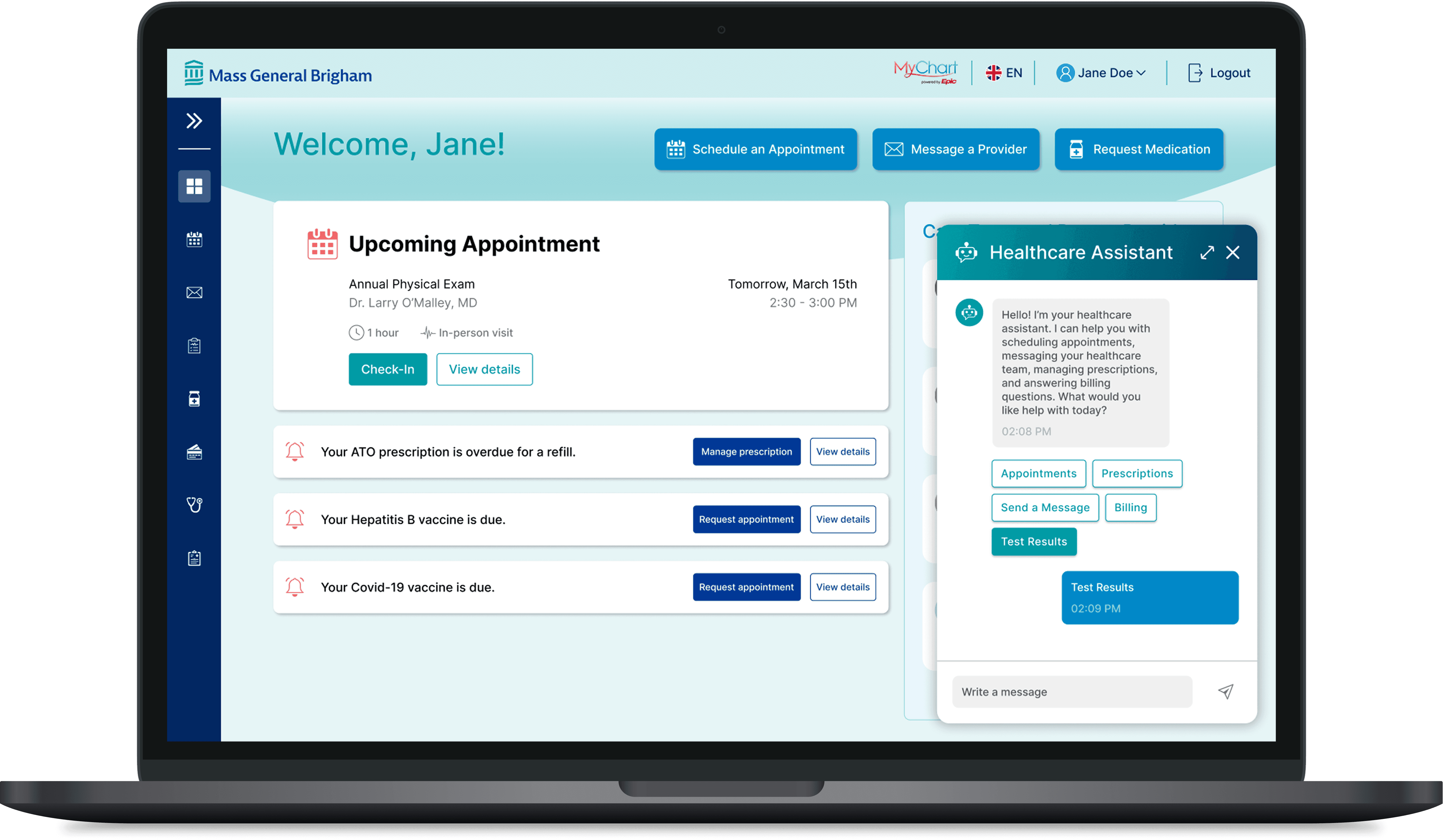
Designed for patients, MyChart now delivers clearer health data with AI-guided support for a more intuitive experience.
HOMEPAGE & NAVIGATION
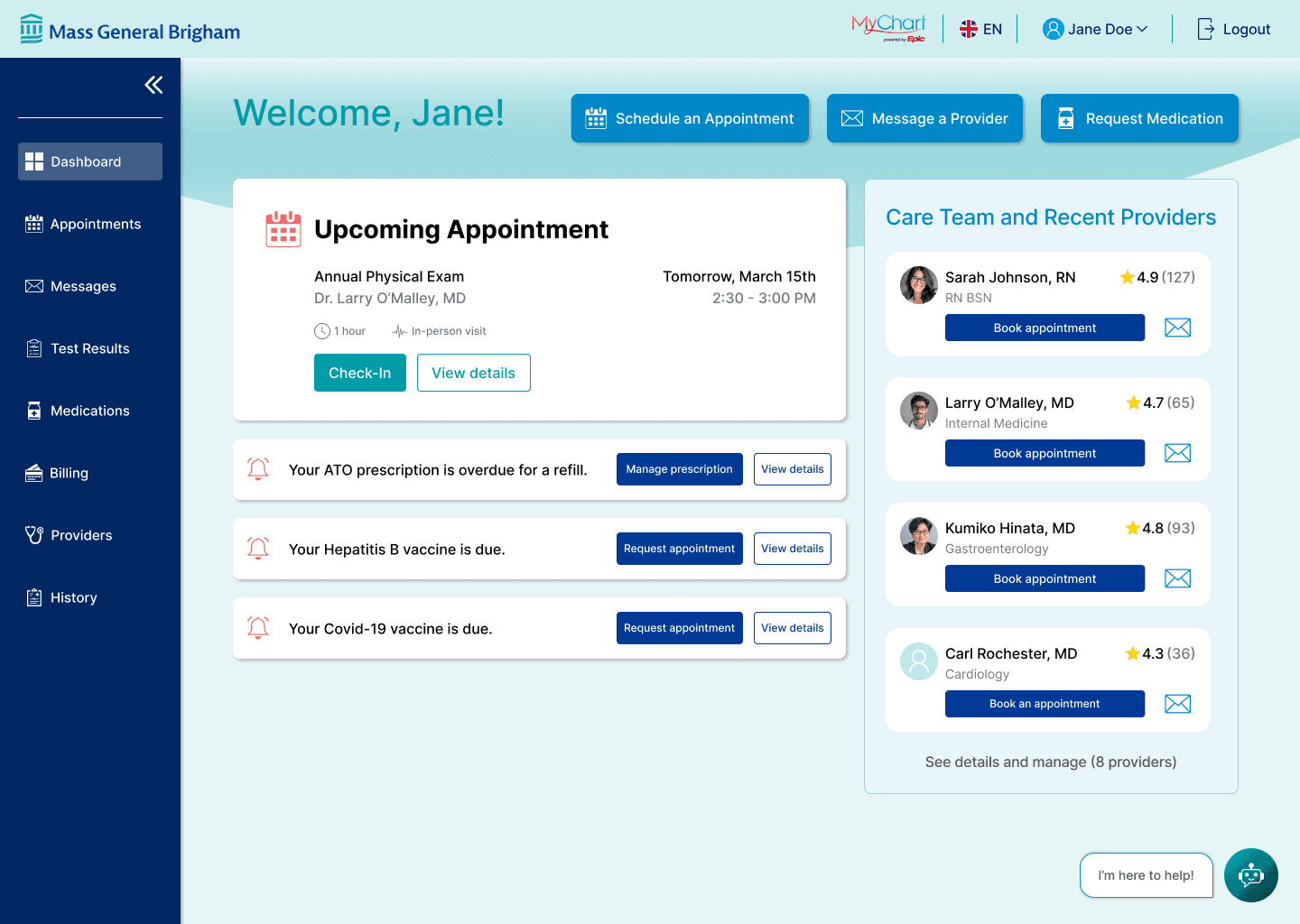
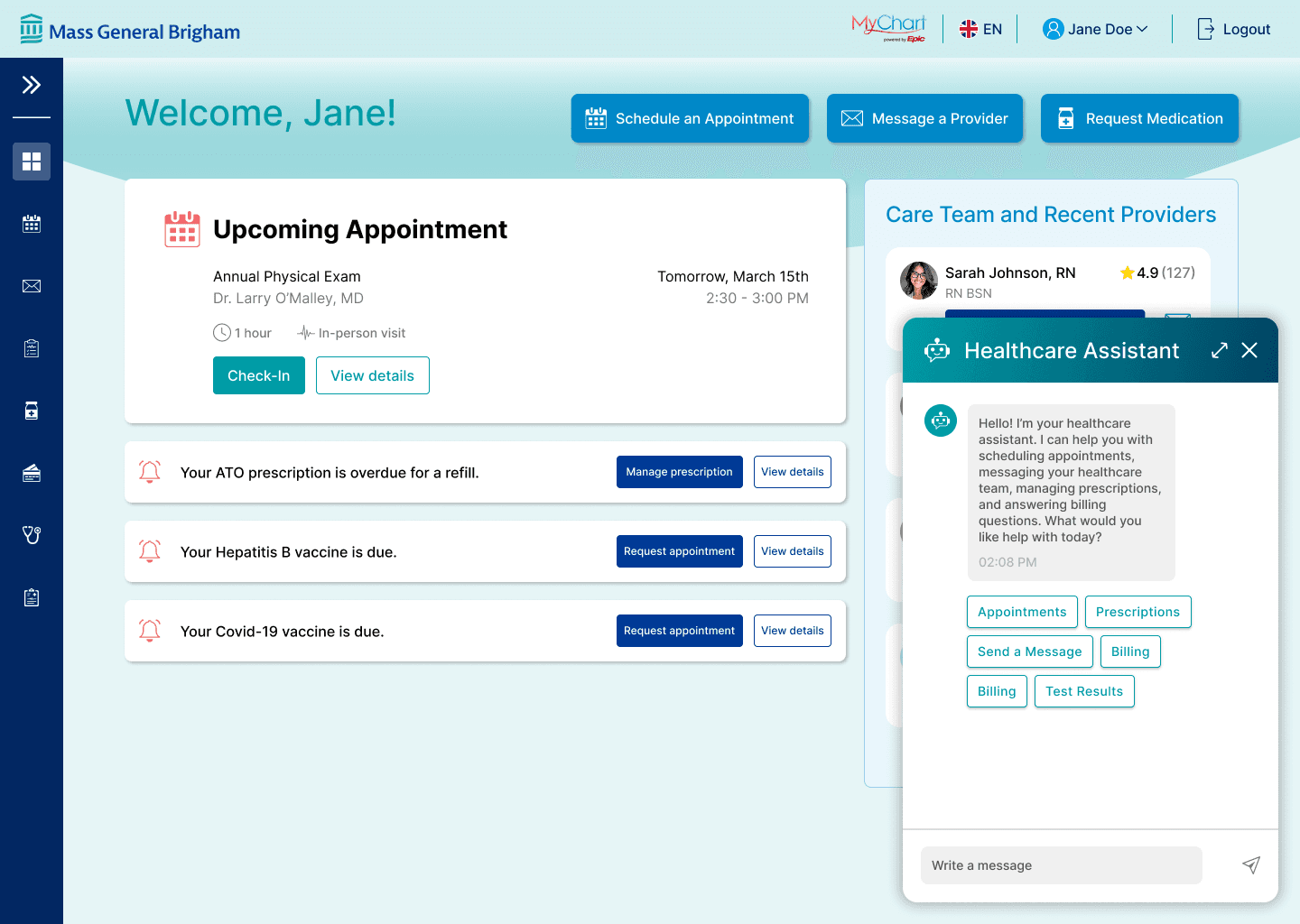
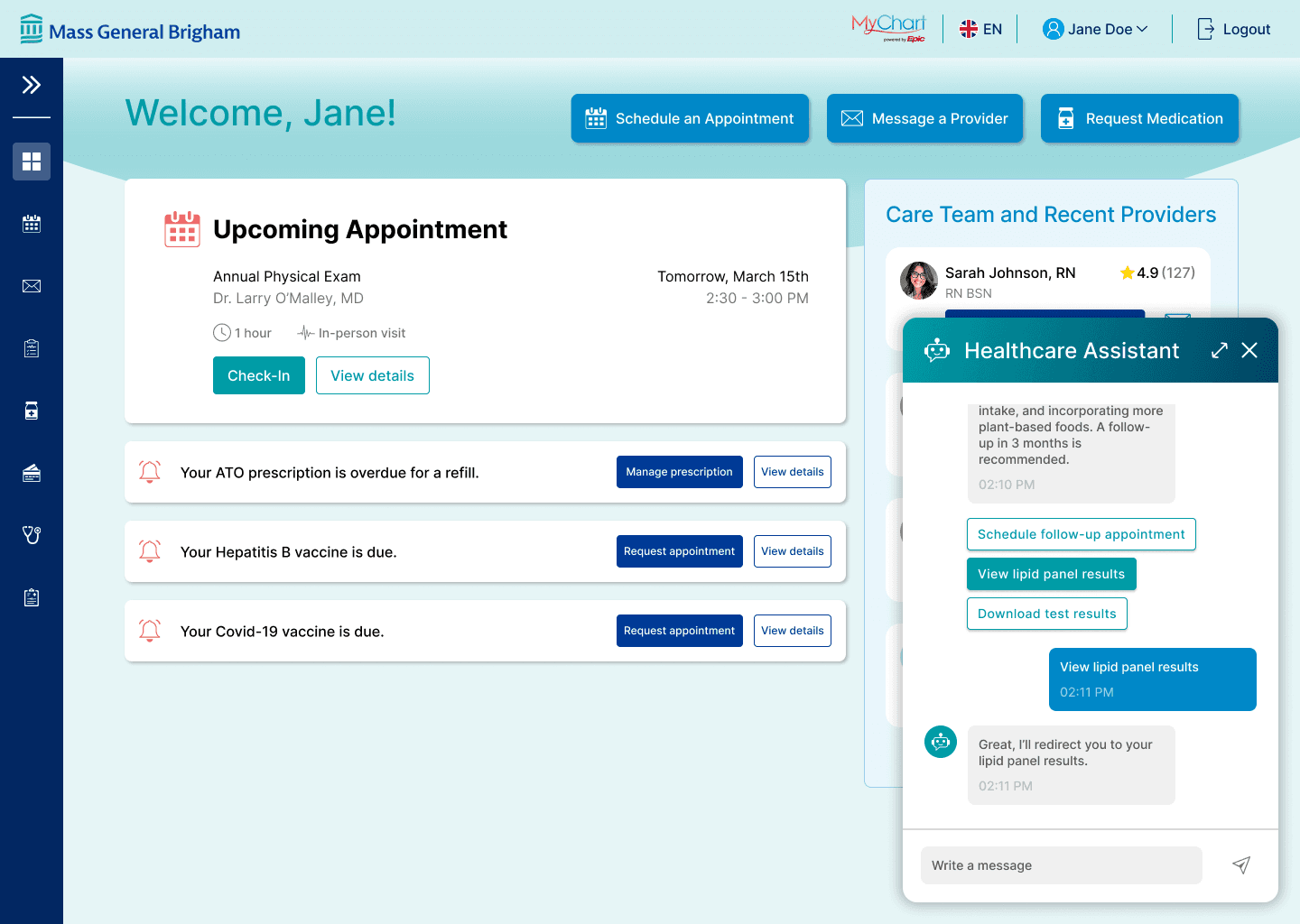
The redesigned patient dashboard prioritizes quick access to the most common information needs and calls to action. An expandable side navigation adds structure and allows users to complete additional tasks beyond the main CTAs, creating a more organized and flexible experience.
TEST RESULTS
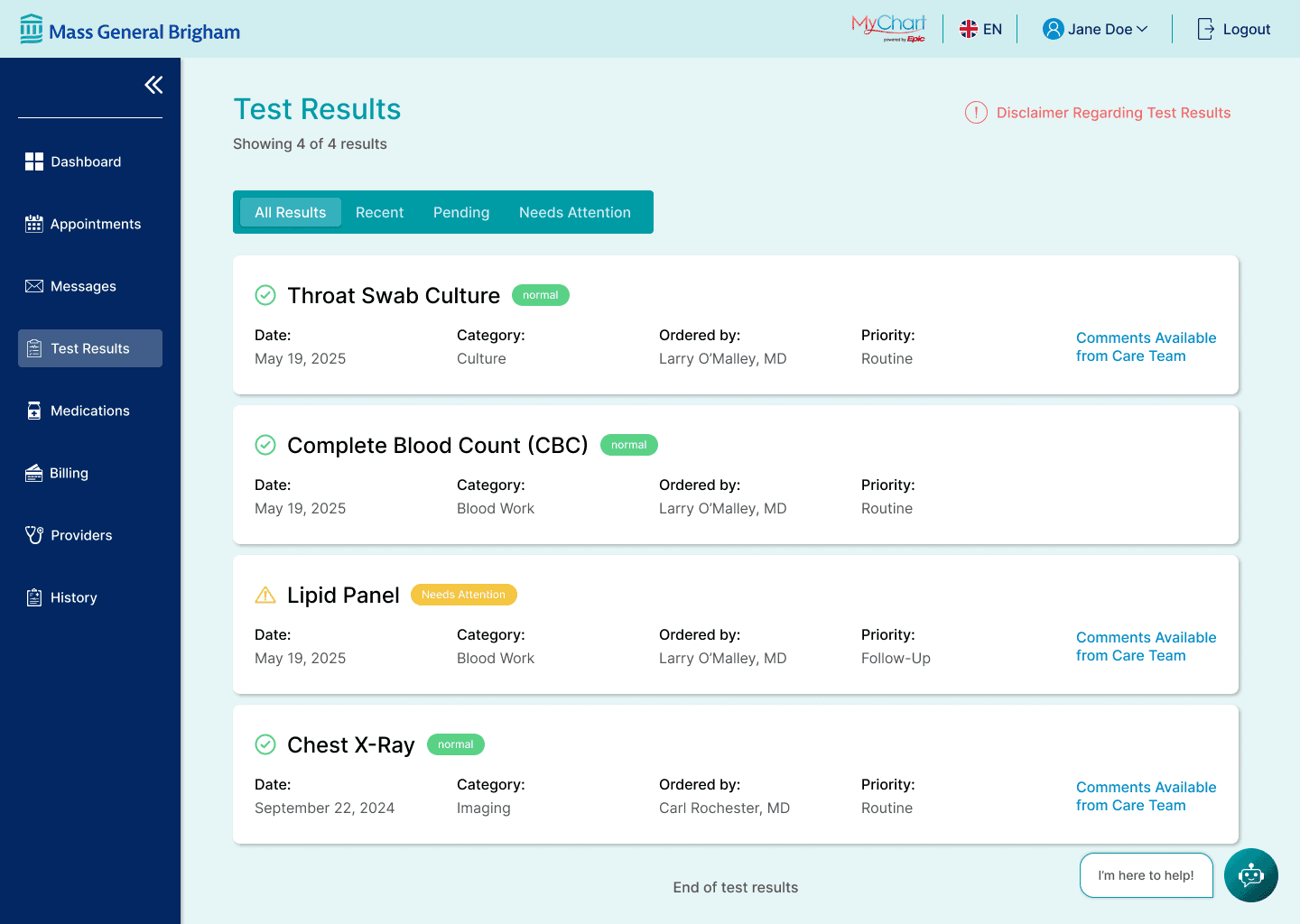
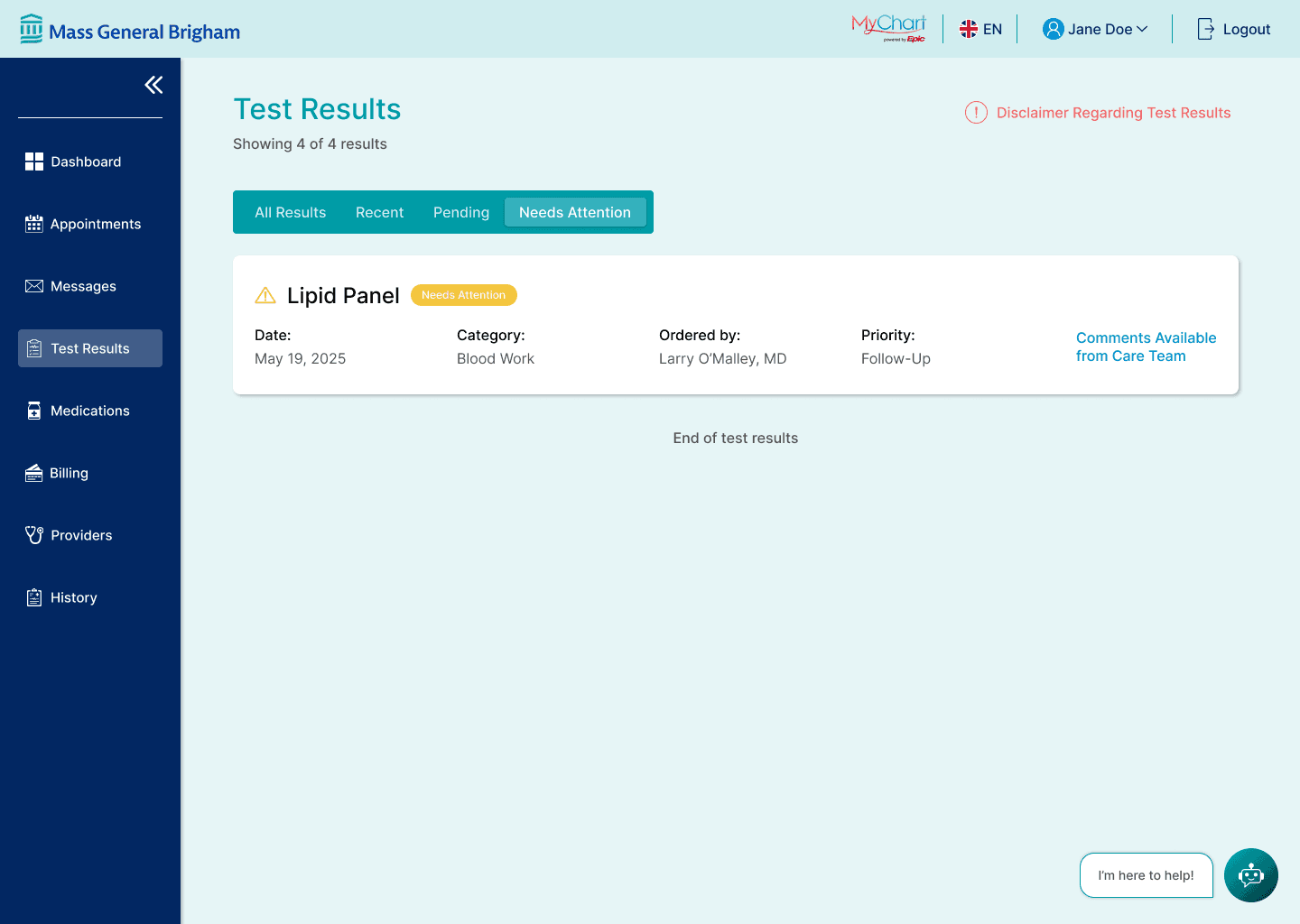
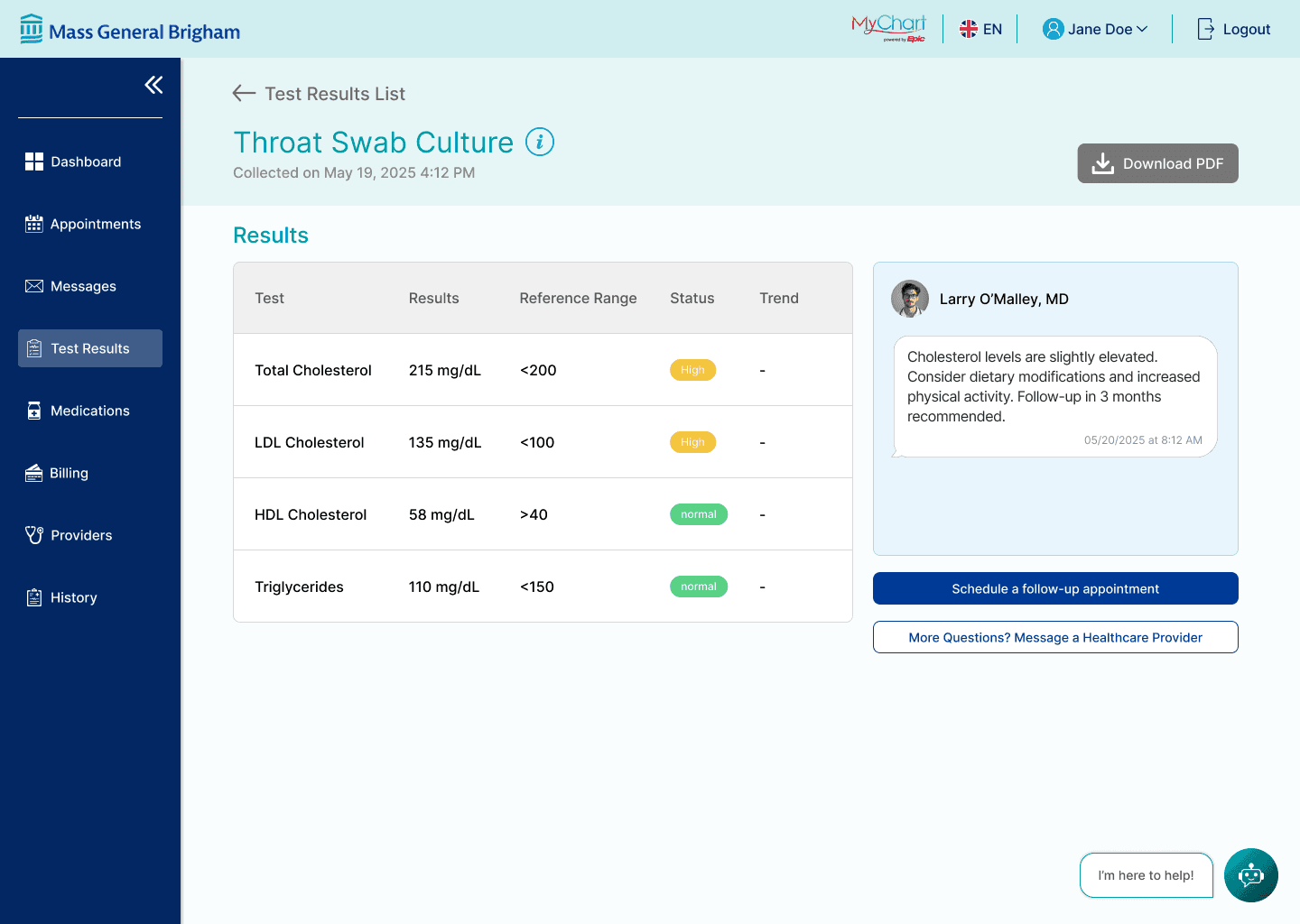
One of the biggest challenges users face in the MyChart healthcare portal is confusion around test results, often due to dense medical jargon. This can lead to misunderstandings and unnecessary anxiety. The redesigned test results page addresses this by allowing users to filter results using simple, relevant parameters. Each test results is clearly labeled to show whether it requires attention and/or includes comments from the care team. Clear, actionable options are embedded within each result, helping patients quickly understand their health information and take appropriate next steps with confidence.
VIRTUAL HEALTHCARE ASSISTANT
On-demand explanations and guidance, built for patient trust
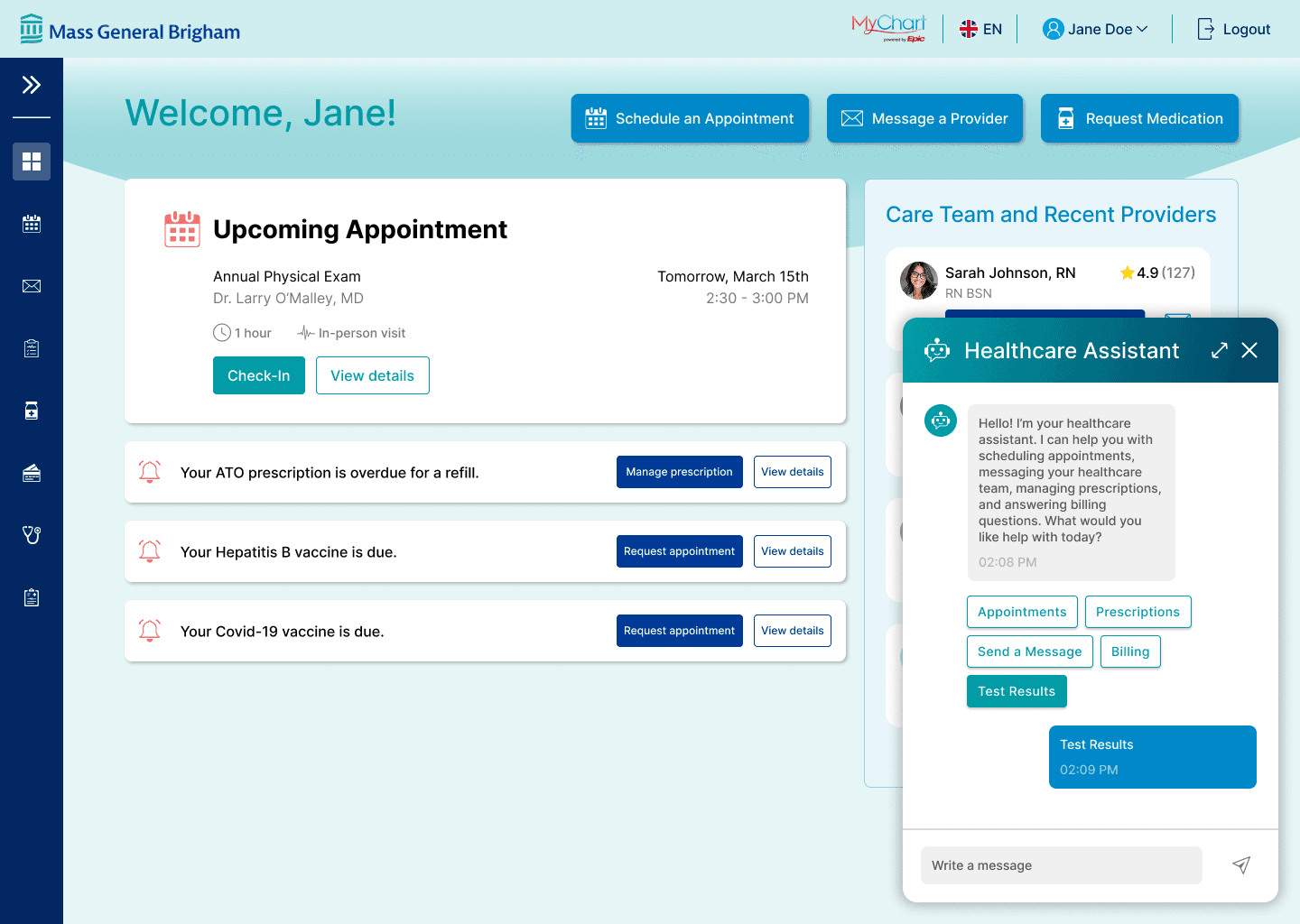
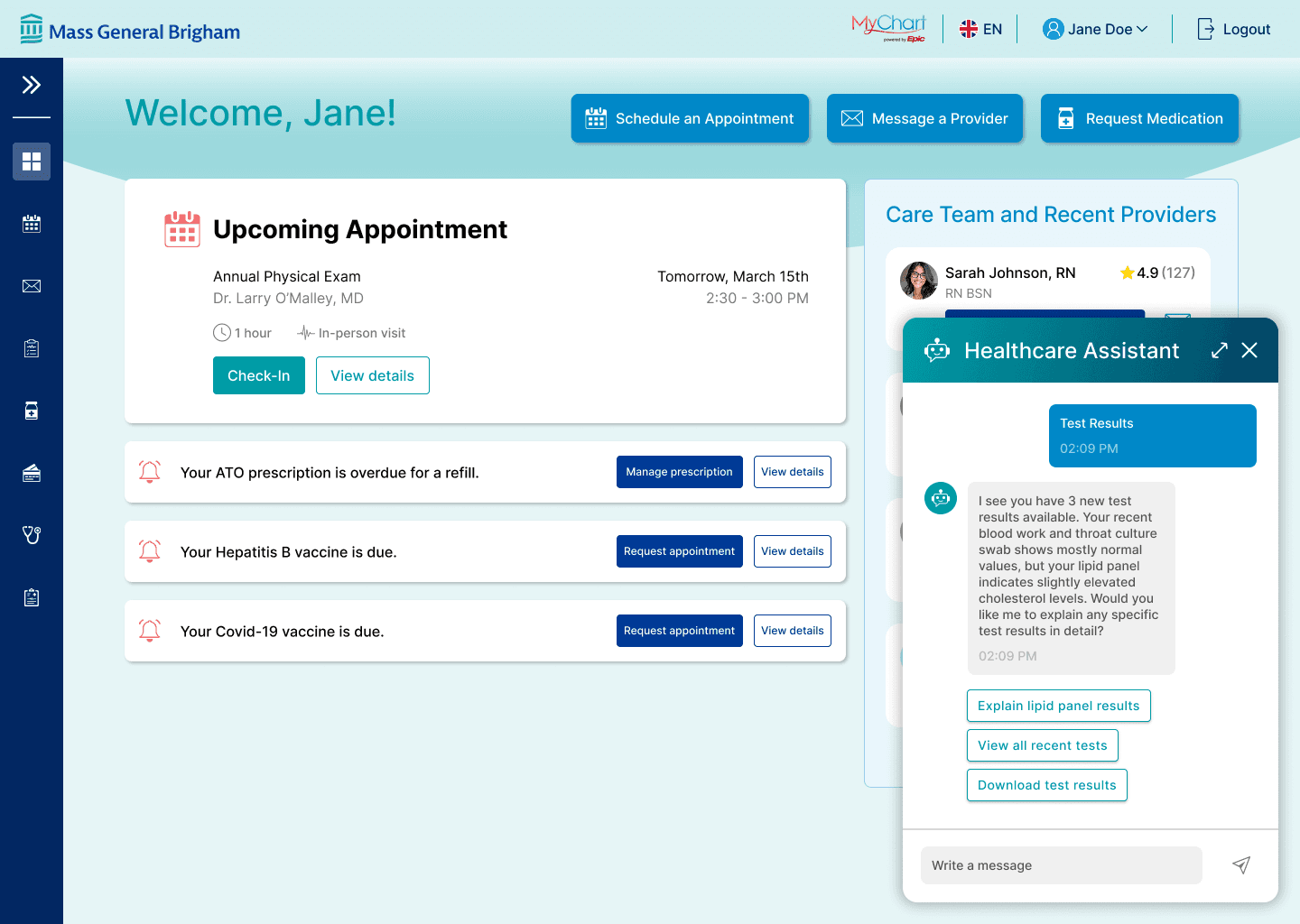
The addition of an AI Healthcare Assistant in the portal helps users quickly find the information they need through guided prompts and typed queries. Beyond navigation support, the chatbot also assists in explaining test results that may be confusing or unclear. By offering immediate, context-aware feedback, the assistant builds user trust and reinforces confidence in using the portal as a reliable source of support.
REFLECTION
This project challenged me to think critically about designing with AI within the limits of automated assistance, especially in a healthcare context where accuracy and tone matter deeply.
AI tools supported the design process from early ideation through accessibility and usability evaluation, helping me explore multiple directions quickly and surface potential issues that might not be immediately obvious.
A key learning was the importance of designing AI interactions that reduce effort rather than add complexity. To make the chatbot more intuitive and accessible, I explored guided interaction patterns such as tappable buttons and suggested prompts instead of relying solely on free-text input. This helped ensure the experience felt supportive, especially for patients who may feel overwhelmed or unsure of what to ask.
Next steps for this project include further improving accessibility for users with diverse needs, particularly through clearer language that supports varying health literacy levels. I would also like to explore additional ways AI could support patient understanding, reduce anxiety, and integrate seamlessly into existing care workflows.